Talk & Architecture Prototype, 2026
The AI-First Church Website (RX26)
An RX26 talk and working ONE&ALL prototype showing how a church website can answer natural-language intent, verify every card against a prepared Rock catalog, keep the existing Rock workflow intact, and expose WebMCP tools.
- AI systems
- Rock RMS
- WebMCP
- Church technology
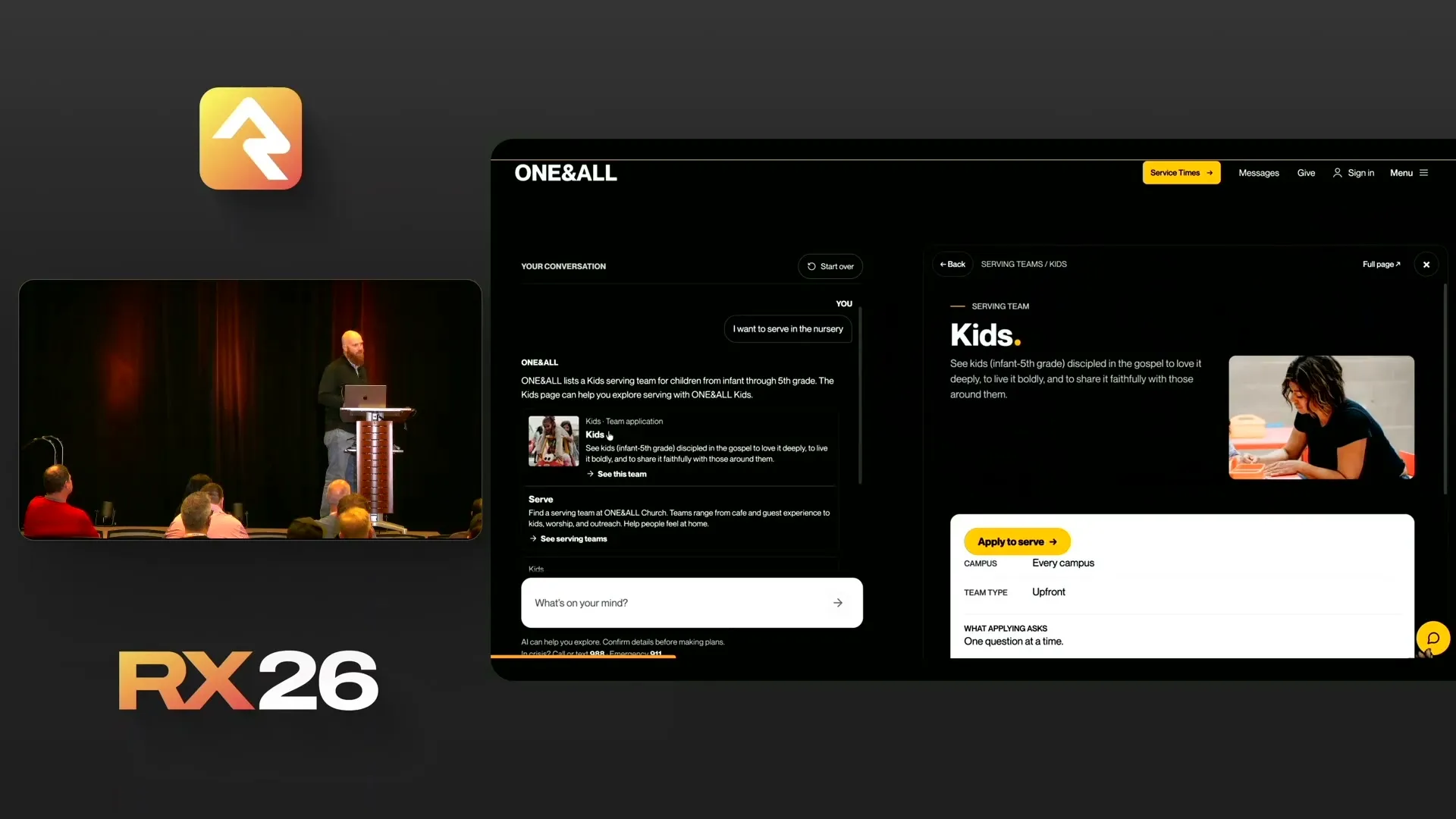
“I’d like to serve in the nursery.”
At RX26, I opened with that sentence because it sounds like an actual visitor on a Sunday morning, while our navigation menu uses internal church vocabulary. At ONE&ALL, the public team is called Kids, not Nursery. We can ask visitors to guess our labels and dig under Serve, or we can let the website translate that intent while keeping Rock RMS in charge of the records and workflow.
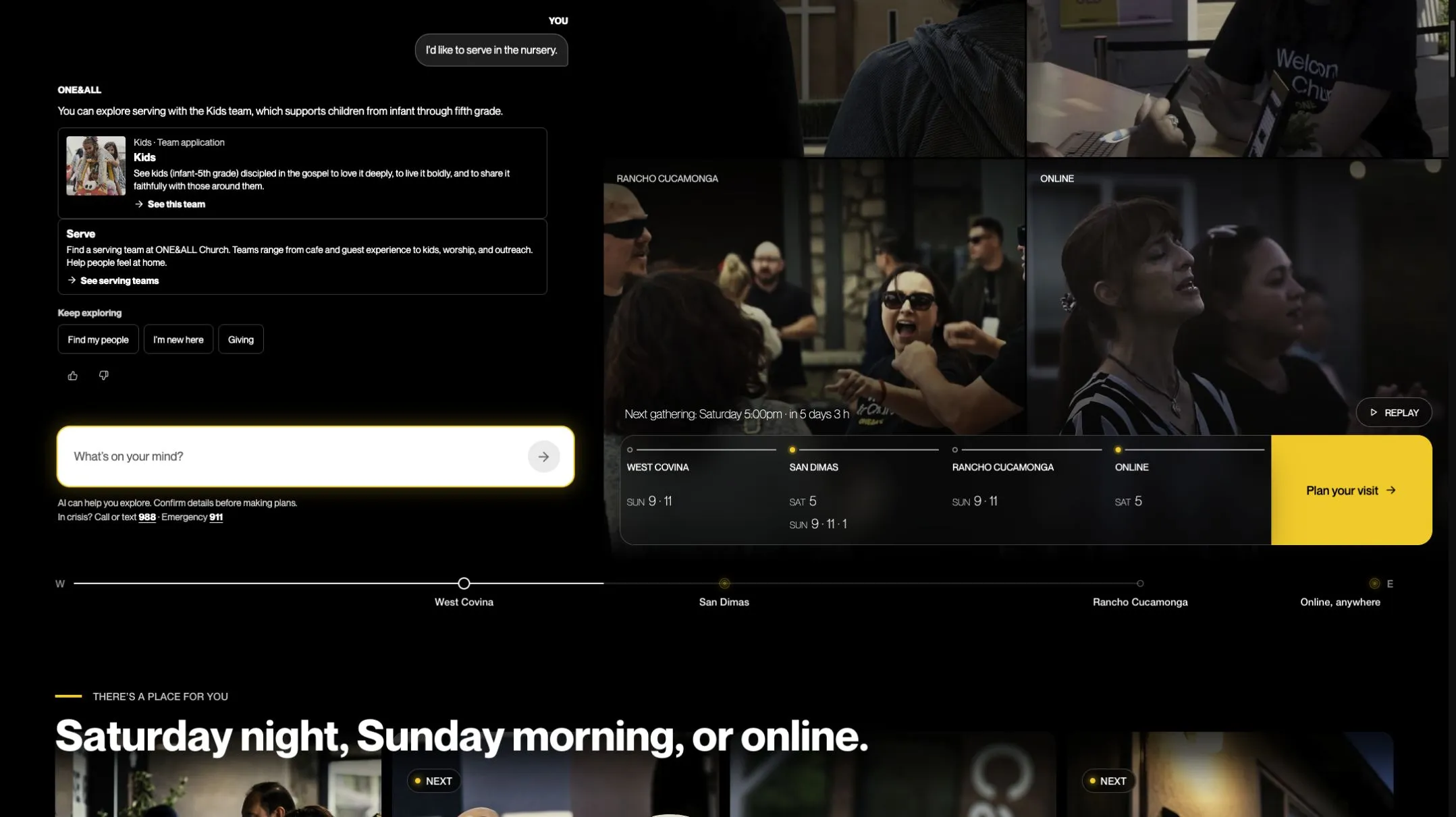
1. Plain-English prompt to verified Kids Team card
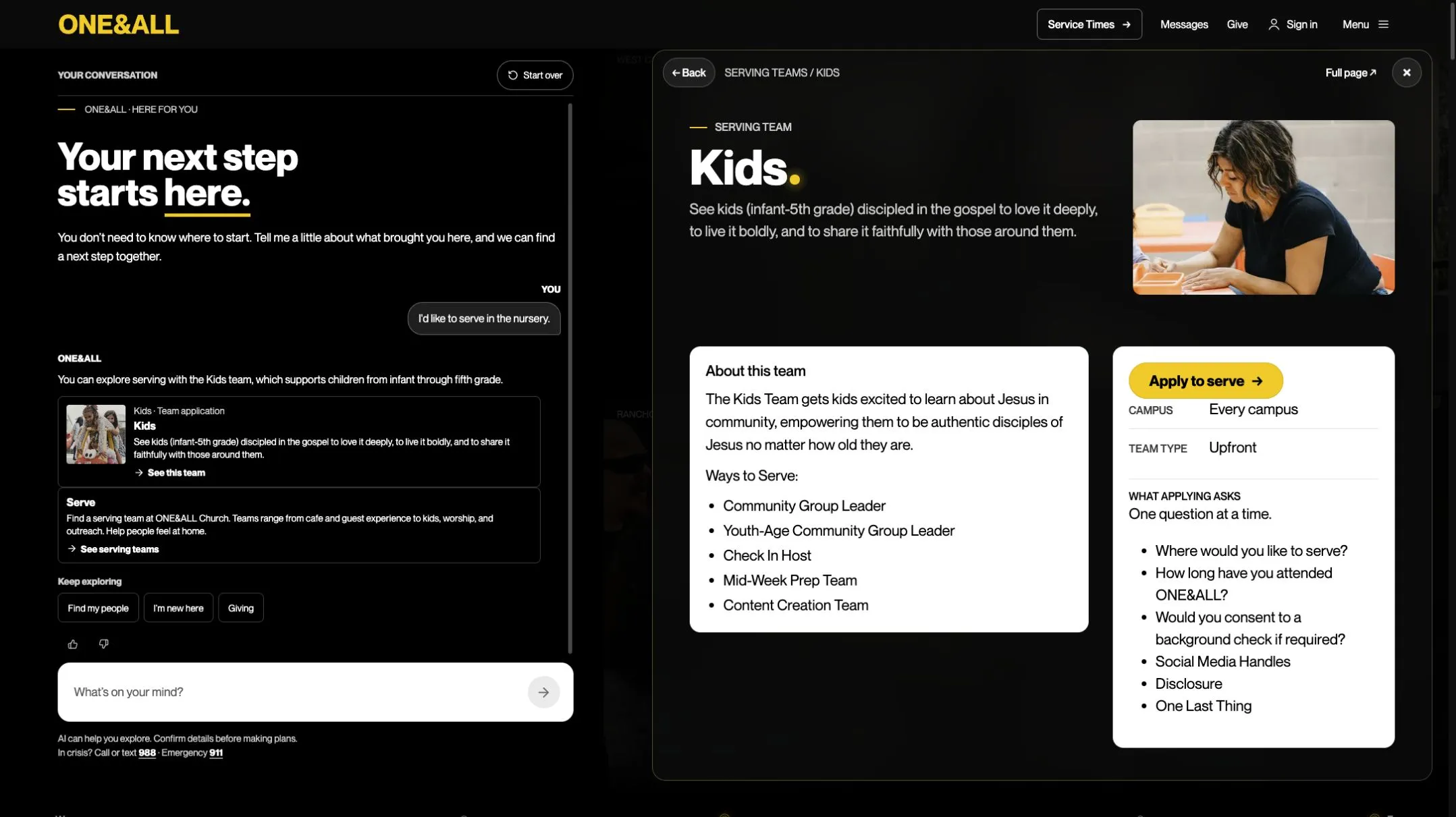
2. Kids Team drawer handing off to the real Rock application
Prepare the catalog before the visitor arrives
An early version fetched Rock records live and chained multiple model calls while the visitor waited. Because the public serving catalog is small and changes on a predictable cadence, moving catalog extraction out of the request path cut latency and removed moving parts from live traffic.
- 1. SyncRock MCP + Lava/Helix
Scheduled reads extract public serving teams into a structured catalog snapshot.
- 2. Edge storeCloudflare KV
Prepared catalog sits at the edge so requests need one streamed model call.
- 3. VerifyServer ID check
Model suggests a team ID; the site checks that ID before rendering any card.
- 4. HandoffExisting Rock form
Visitor opens the real blank Kids Serve Application and chooses whether to submit.
Verification boundary: IDs versus prose
Checking a suggested ID against Cloudflare KV blocks invented links, but it does not verify every sentence the model writes beside the card. Saying “The Kids team serves infants through 5th grade” matches the public team description. Saying “There is a nursery opening this Sunday” claims schedule data the public catalog does not hold.
Exposing the same catalog over WebMCP
The verified catalog does not have to serve only our own search bar. In the second half of the RX26 session, I demonstrated WebMCP, where a page declares named, read-only tools for a visitor’s own browser assistant. An external assistant can query public serving opportunities and still route the person to the same blank Rock application.
During rehearsal, we caught a bug worth remembering: the Kids panel rendered visibly on screen while the browser tool call returned a failure status. Checking both the rendered screen and the structured tool output is necessary before any automation trusts the result.
Sources
- The AI-First Church Website (RX26 session recording) ↗ (Rock Community sign-in required. Nursery demo ~7:45, response checks ~16:08, WebMCP ~22:38.)
- WebMCP Community Group Draft ↗ (Browser-exposed tool standard for visitor assistants.)
- Chrome WebMCP Overview ↗